如何使用微信小程序实现语音识别?
今天小编给大家讲解如何使用微信小程序实现语音识别?有需要或者有兴趣的朋友们可以看一看下文,相信对大家会有所帮助的。
1、概述
通过微信小程序wx.startRecord()和wx.stopRecord()接口录音并上传silk录音文件至服务器,通过ffmpeg将silk录音文件转成wav录音文件,再通过百度语音识别 REST API 获取语音识别后的结果。
2、代码实现
录音和语音文件上传
//index.js
//开始录音。当主动调用wx.stopRecord,
//或者录音超过1分钟时自动结束录音,返回录音文件的临时文件路径。
//当用户离开小程序时,此接口无法调用。
wx.startRecord({
success: function (res) {
console.log(\'录音成功\' + JSON.stringify(res));that.setData({
voiceButtonName: \'语音识别\',
voicePlayButtonName: \'开始播放\',
tempFilePath: res.tempFilePath
})
//上传语音文件至服务器
wx.uploadFile({
url: \'https://你的域名/upload\',
filePath: res.tempFilePath,
name: \'file\',
// header: {}, // 设置请求的 header
formData: {
\'msg\': \'voice\'
}, // HTTP 请求中其他额外的 form data
success: function (res) {
// success
console.log(\'begin\');
console.log(res.data);
var json = JSON.parse(res.data);
console.log(json.msg);
var jsonMsg = JSON.parse(json.msg);
console.log(jsonMsg.result);
wx.navigateTo({
url: \'../voicePage/voicePage?voiceData=\' + jsonMsg.result.join(\'\')})
},
fail: function (err) {
// fail
console.log(err);
},
complete: function () {
// complete
}
})
},
fail: function (res) {
//录音失败
that.setData({
voiceButtonName: \'语音识别\'
})
console.log(\'录音失败\' + JSON.stringify(res));}
})
setTimeout(function () {
//结束录音
wx.stopRecord()
}, 60000)
node.js服务端接收语音文件代码
//upload.js
//使用koa-multer这个组件
var multer = require(\'koa-multer\');
var router = require(\'koa-router\')();
var path = require(\'path\');
//存储文件至path.resolve(\'./voice-file\')路径var upload = multer({ dest: path.resolve(\'./voice-file\')});router.post(\'/\', upload.single(\'file\'), async function (ctx, next) {//这是就文件的具体信息
console.log(ctx.req.file);
});
silk文件转wav文件
我使用的是silk-v3-decoder将silk文件转wav文件
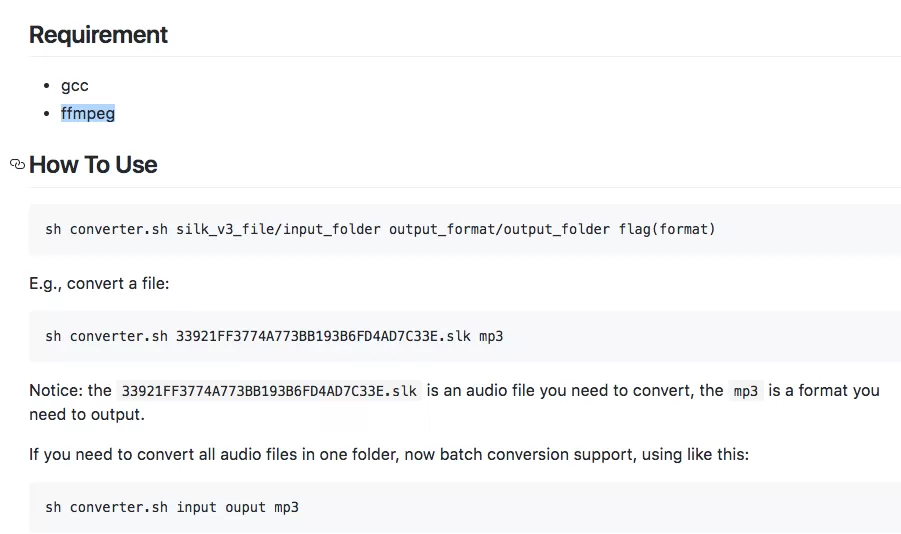
silk-v3-decoder 使用方法
//upload.js
var exec = require(\'child_process\').exec;
function silkToWav(file){
return new Promise(function (resolve, reject) {
exec(\'sh converter.sh \' + file + \' wav\', function(err,stdout,stderr){
if(err) {
resolve({
result : false,
msg : stderr
});
} else {
//var data = JSON.parse(stdout);
console.log(stdout);
console.log(stderr);
//console.log(err);
resolve({
result : true,
msg : \'\'
});
}
});
});
}
百度语音识别 REST API识别wav文件
1、通过API Key和Secret Key获取的access_token
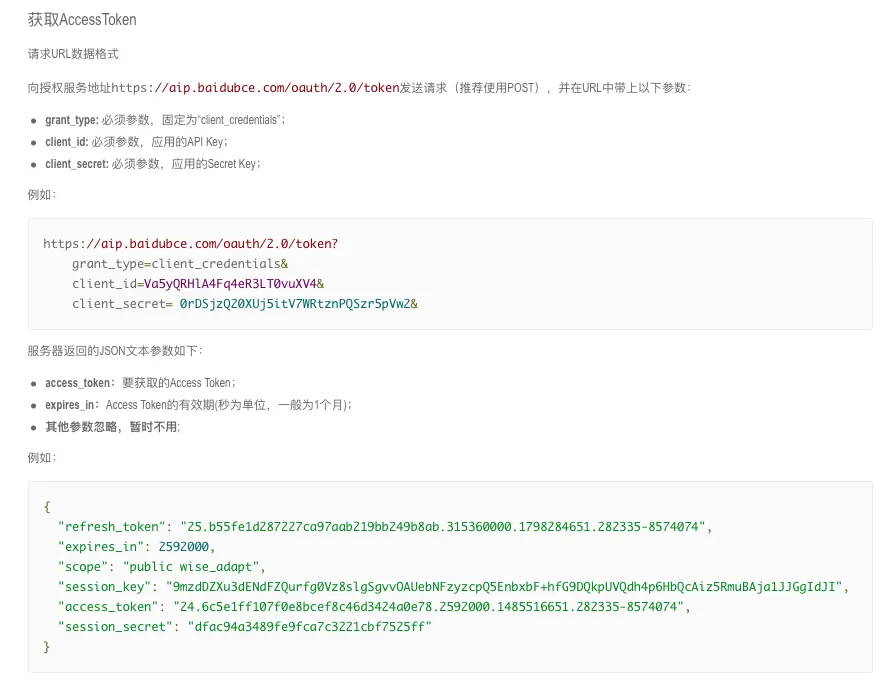
通过API Key和Secret Key获取的access_token文档
//speech.js
speech.getAccessToken = function(){
return new Promise(function (resolve, reject) {
request({
url: \'https://openapi.baidu.com/oauth/2.0/token?grant_type=client_credentials&client_id=(你自己的API key)&client_secret=(你自己的Secret Key)\',
method: \'get\',
headers: {
\'content-type\': \'application/json\'
}
}, function (error, response, data) {
if (error){
resolve({
\'result\' : false,
\'msg\' : \'出现错误: \' + JSON.stringify(error)
});
}else {
resolve({
\'result\' : true,
\'msg\' : data
});
}
});
});
}
2、通过token 调用百度语音识别 REST API识别接口
//speech.js
speech.recognize = function(base64String, size){
return new Promise(function (resolve, reject) {
request({
url: \'//vop.baidu.com/server_api\',
method: \'post\',
headers: {
\'content-type\': \'application/json\'
},
// len + speech方式
body: JSON.stringify({
"format":"wav",
"rate":16000,
"channel":1,
"token":\'(你的token)\',
"cuid":"9e:eb:e8:d4:67:00",
"len":size,
"speech":base64String
})
//url + callback方式
//body: JSON.stringify({
// "format":"wav",
// "rate":16000,
// "channel":1,
// "token":\'(你的token)\',
// "cuid":\'9eebe8d46700\',
// "url":\'//ihealth-wx.s1.natapp.cc/download?name=123.wav\',
// "callback":\'//ihealth-wx.s1.natapp.cc/callback\'
//})
}, function (error, response, data) {
if (error){
resolve({
result : false,
msg : \'出现错误: \' + JSON.stringify(error)
});
}else {
resolve({
result : true,
msg : data
});
}
});
});
}
3、语音识别优化
通过上述操作后,发现识别的内容和实际内容差别很大
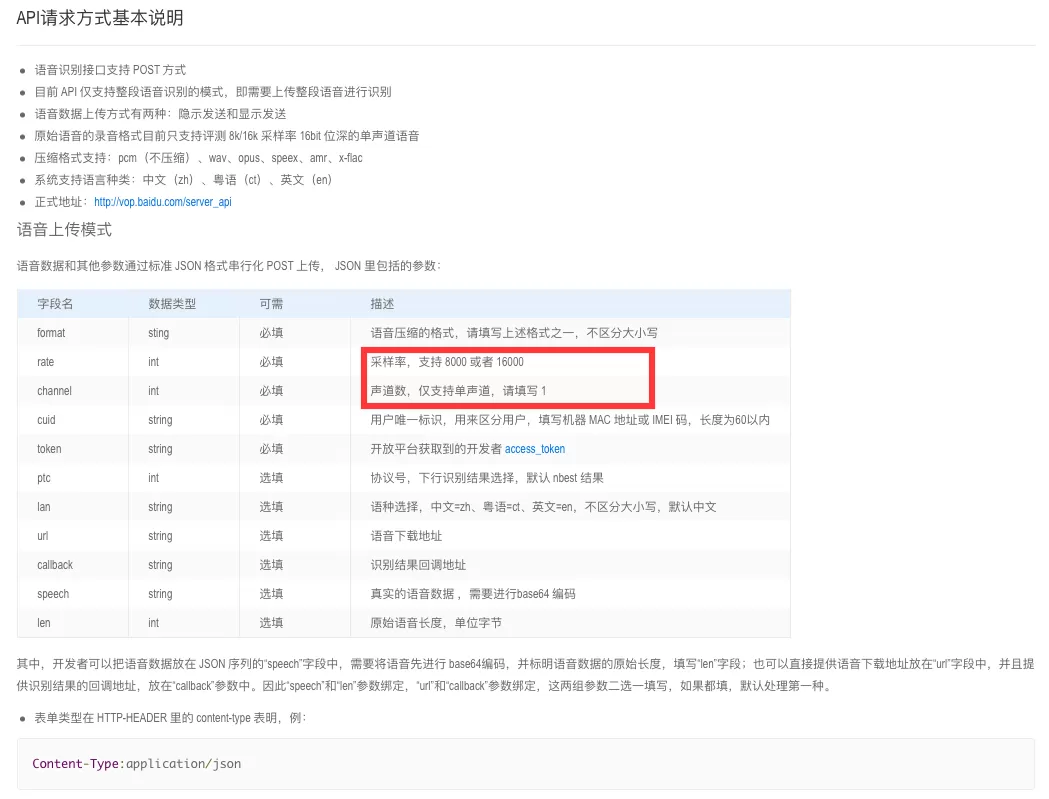
百度语音识别 REST API文档
查看文档可知:采样率:8000/16000 仅支持单通道
在ffmpeg里对应的设置方式分别是:
-ar rate 设置采样率
-ac channels 设置声道数
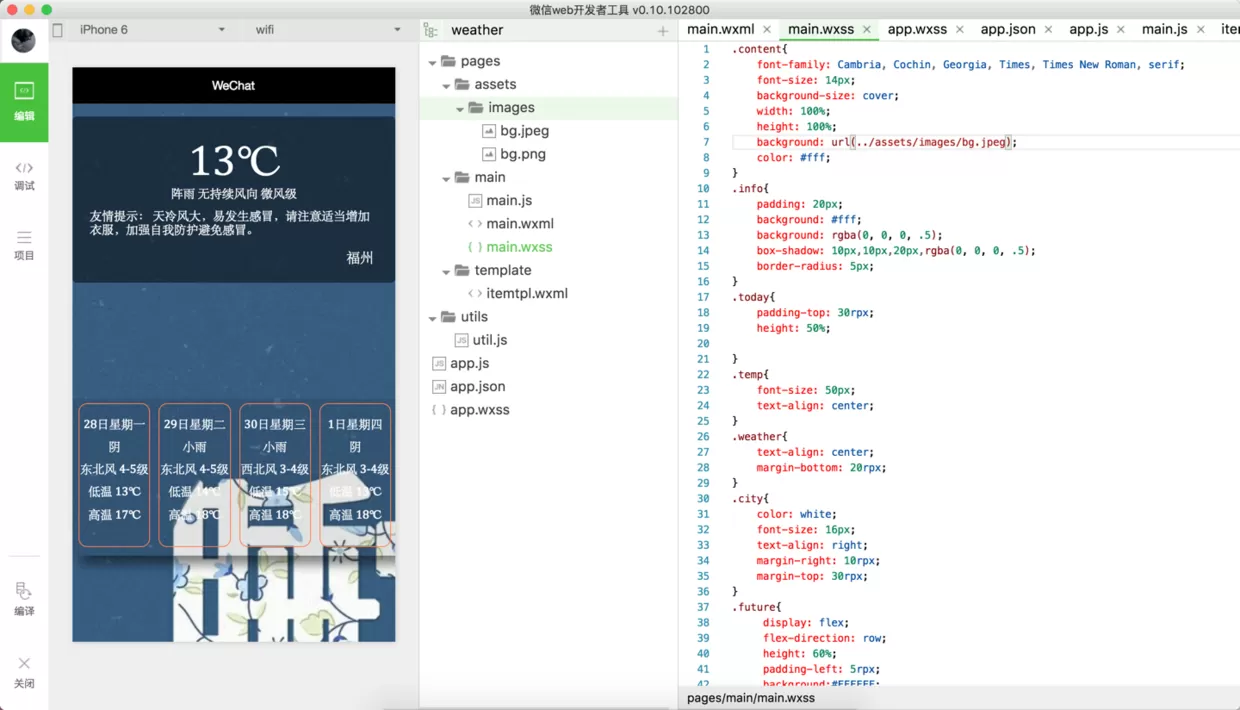
修改converter.sh文件,修改为下图所示

以上就是如何使用微信小程序实现语音识别的全部内容了,大家都学会了吗?


- 怎么在AutoCAD中查看全部的内容?
- 别弃我2026-08-03 00:31:12

- 如何在AutoCAD中选框选图形?在AutoCAD中选框选图形的方法
- 栗子2026-08-03 00:31:10

- 如何在AutoCAD中画箭头符号?
- 对味2026-08-03 00:30:52

- 怎么在AutoCAD中绘制三维立体室内图?
- 别认怂2026-08-03 00:30:48

- 怎么给AutoCAD中的3d图形填充颜色?
- 花心症2026-08-03 00:30:42

- 如何解决AutoCAD启动很慢的问题?
- 凉人心2026-08-03 00:30:38
- QQMac版如何修改备注?QQMac版修改备注的方法
- 留井2026-08-03 00:30:35
- QQ手机版怎么取消个性签名与空间同步?
- 何必等2026-08-03 00:30:31

- 如何在AutoCAD中设置底图?AutoCAD设置底图的方法
- 阑珊2026-08-03 00:30:31

- QQ手机版如何设置井柏然字体?设置井柏然字体的方法
- 棼谷2026-08-03 00:30:28